
Visit your My Account page, when logged into the Services site.
1. Under the Subscriptions section you will see a list of your subscriptions with Travel For All.
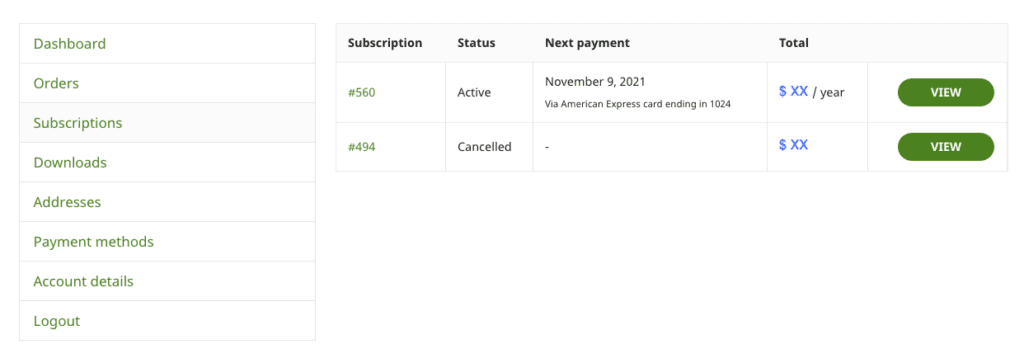
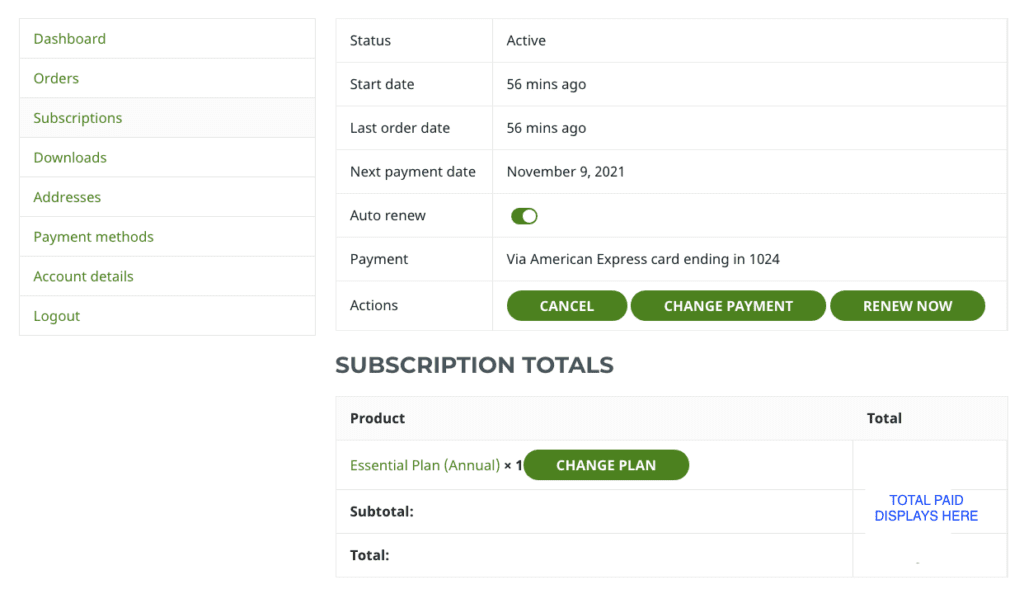
2. Select your current active subscription to see all details.
3. Select the Change Plan button.
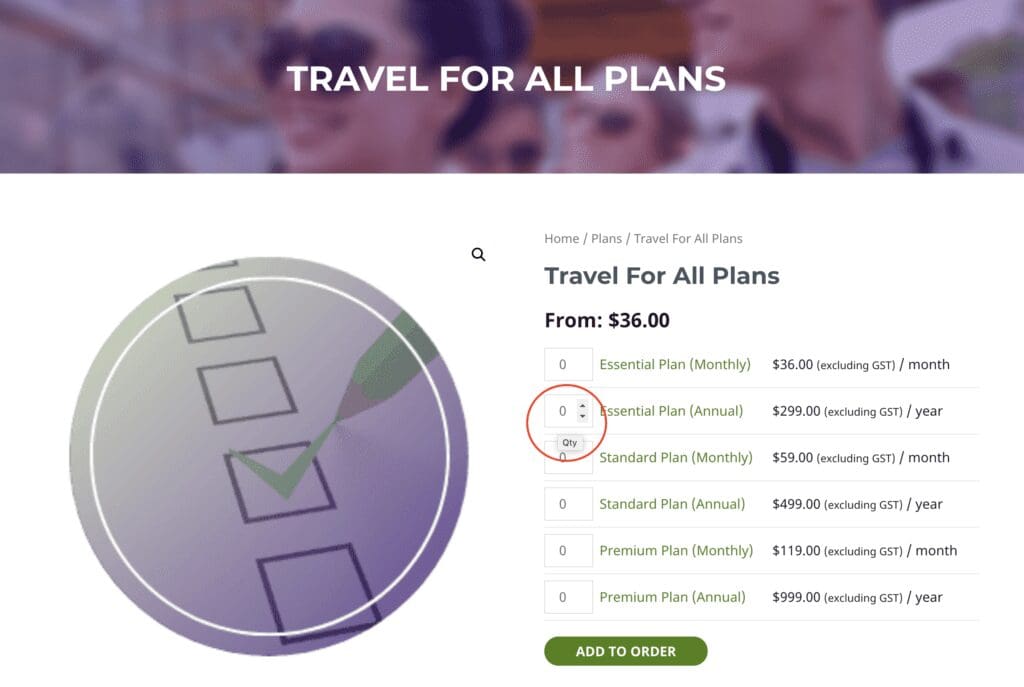
4. On the page now showing, select the plan you wish to activate. Hover over the number selection field and use the up and down arrow to select 1.
5. Click on Add to Order button.
6. Complete remaining details to checkout.
If you are upgrading your plan, any remaining balance in your current plan will be pro rated to reduce the amount payable on the new plan.